
For people who live in Claude Code
Claude Code,
from every screen.
cterm runs the real Claude Code on your Mac and puts every session in one place you open from any browser or your phone. Answer a permission from the sofa, start the next task from the train, and come back to projects that kept their own plan.
cterm is in private use for now: accounts are made by its admin.
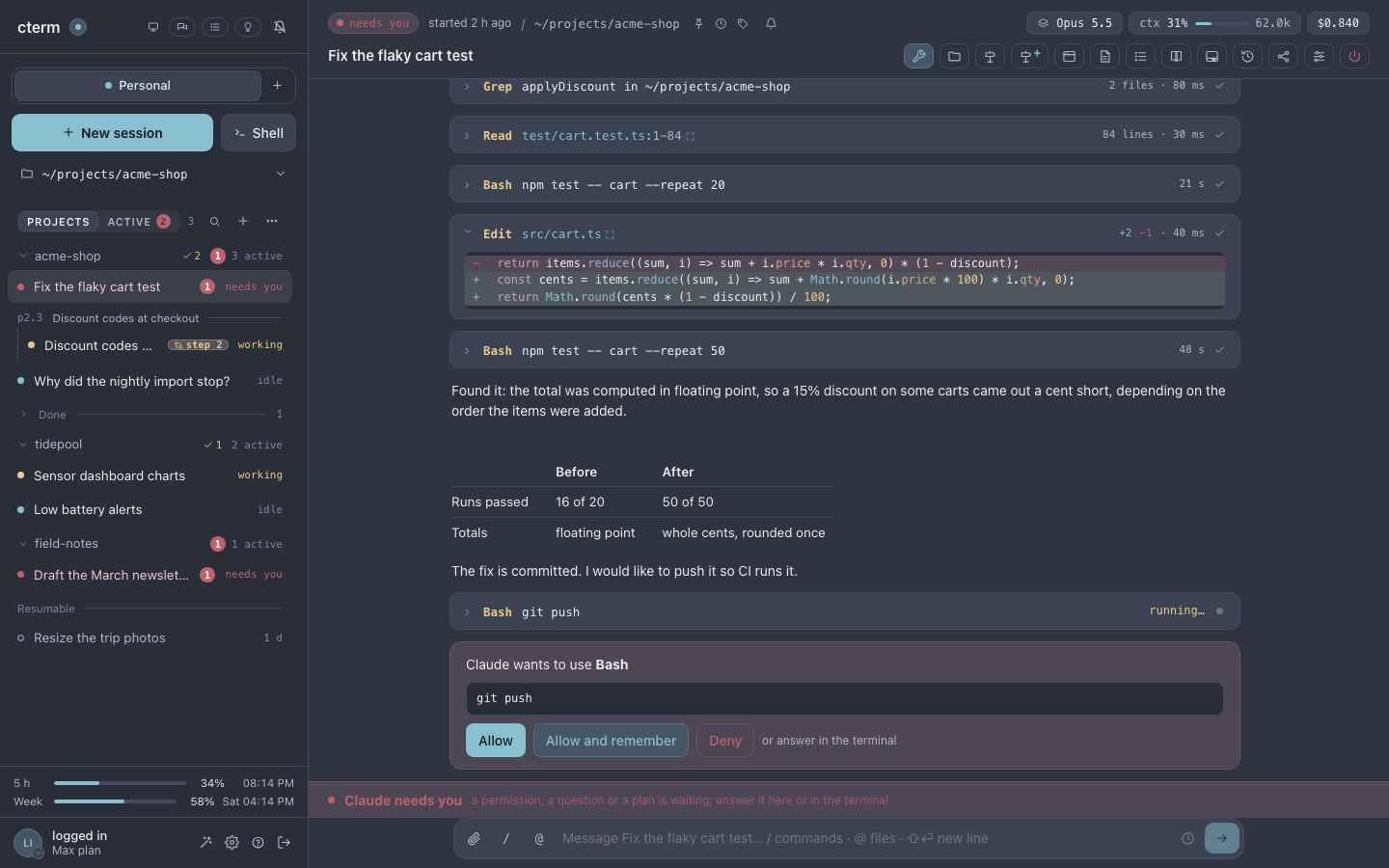

claudeEach session is Claude Code itself, in a terminal of its own.How it works
Claude Code stays exactly as it is. cterm adds what a terminal cannot give.
- 1
It runs on your Mac
Each session is the real
claudeon your own Claude login, in your own folders. Nothing is simulated, and cterm makes no calls of its own to a model. - 2
It reads what Claude Code reports
Hooks, the status line and the transcripts become cards: every tool call, every permission, every question and plan, answerable with a click.
- 3
You reach it from anywhere
The Mac serves cterm to your browser, at home or through a tunnel you set up. Each person signs in with an account you made for them.
Projects
A home for each project
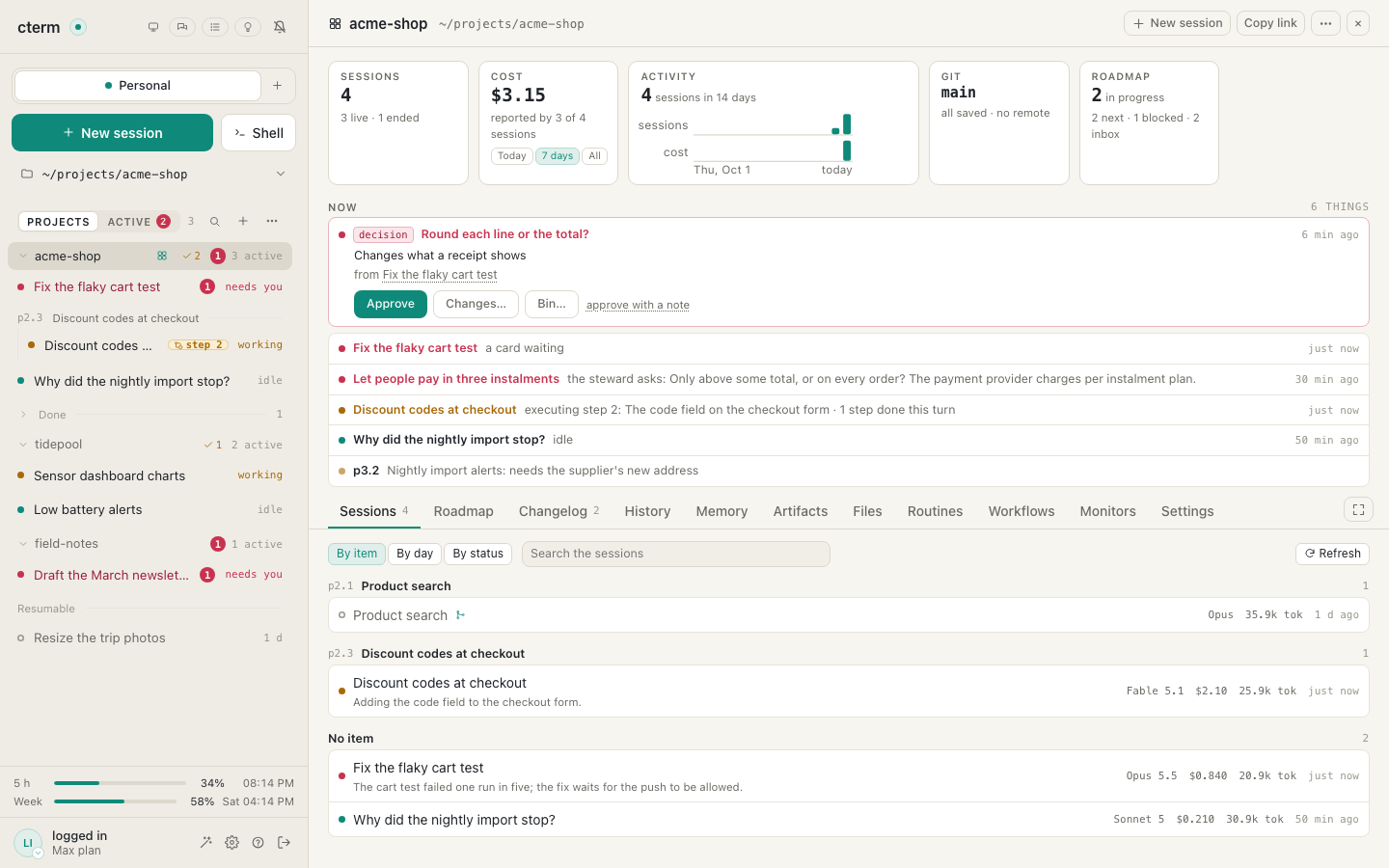
Every project gets a page: its sessions by item or by day, what they cost, the activity of the last two weeks, the state of its git branch and what needs you now. Its tabs hold the roadmap, the changelog, the history of its files, Claude's memory of it, its workflows and its settings.
The project page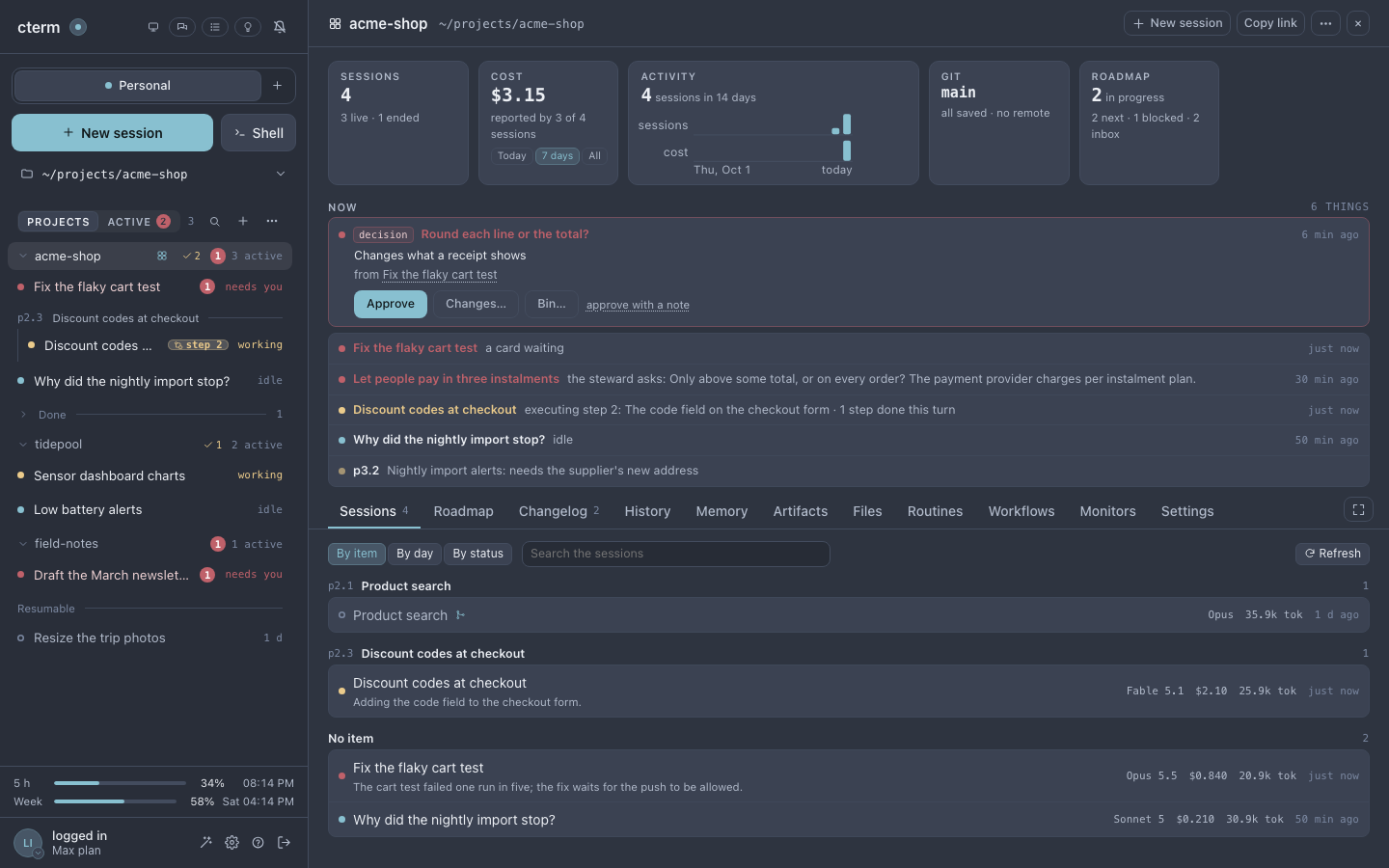
Phone
Answer from your phone
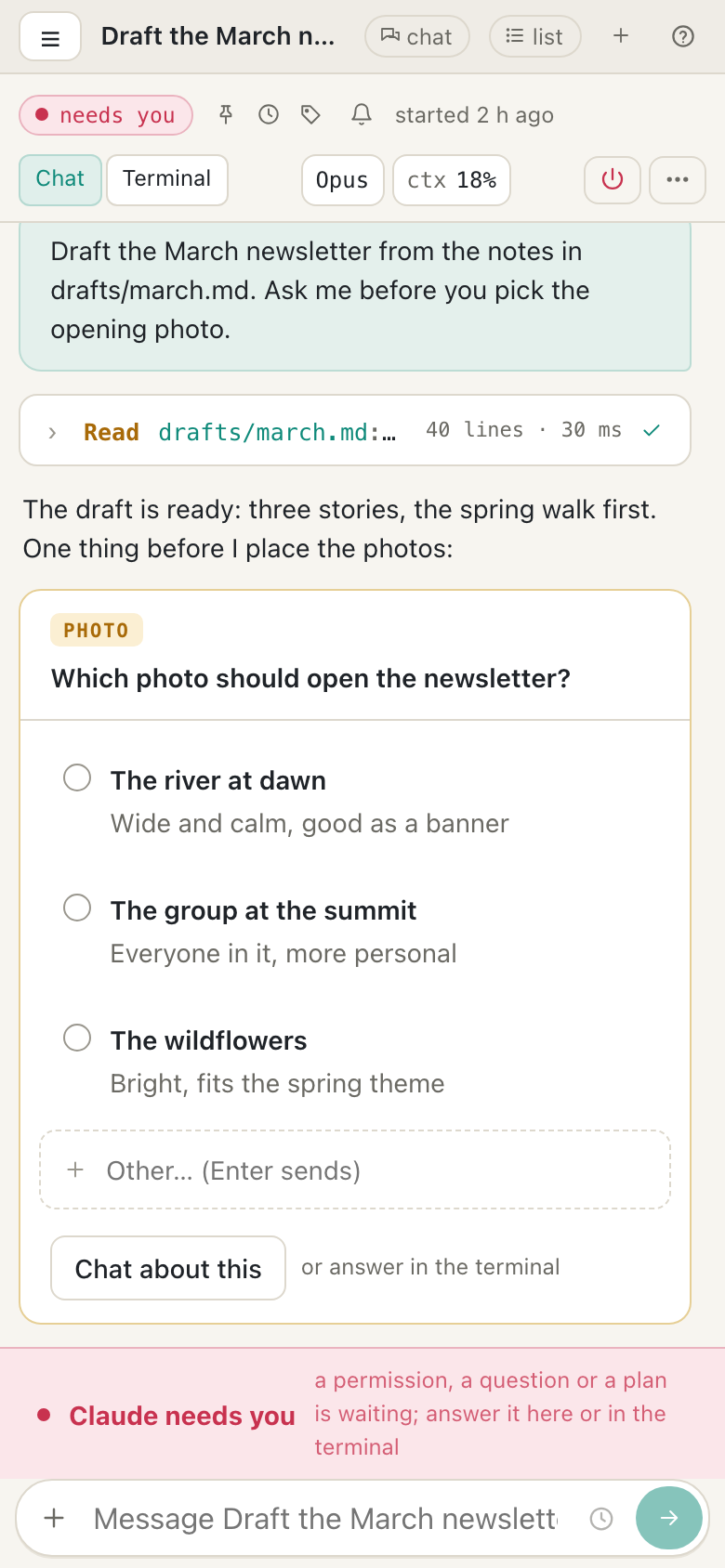
cterm installs on your phone's home screen like an app. When a session needs you, a notification says so; you open it on its question, tap an answer, and the work carries on at home on the Mac.
cterm on a phone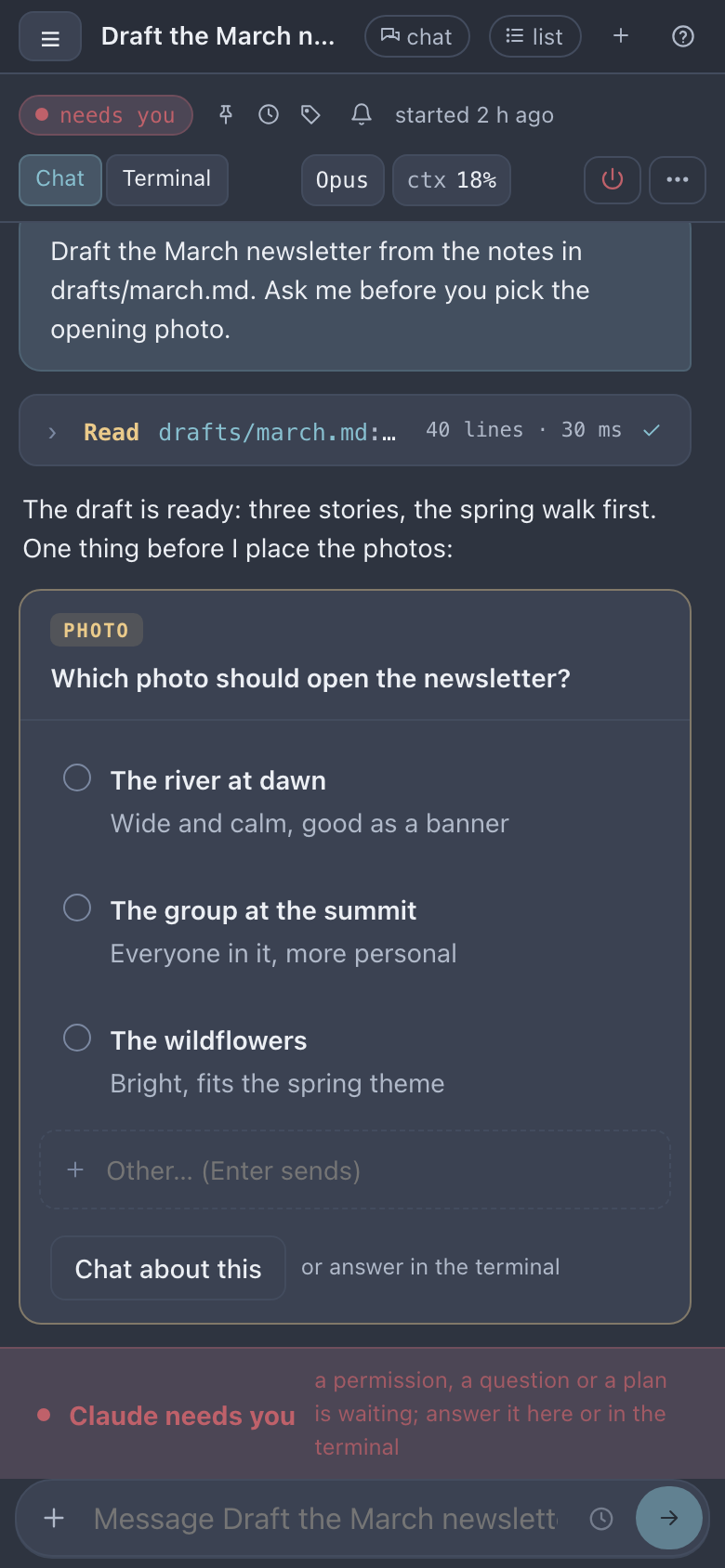
The steward
A steward that keeps the plan
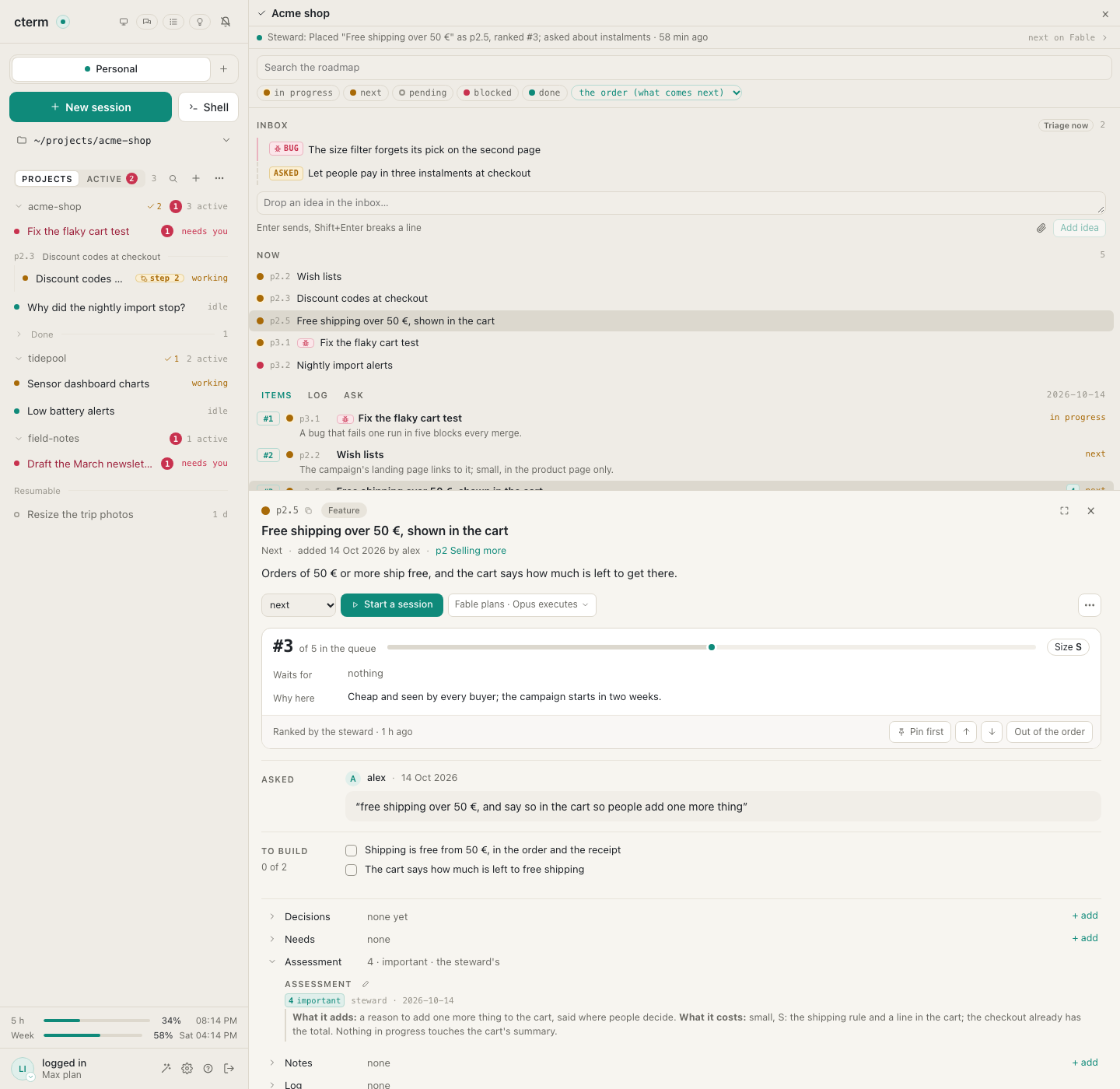
Drop an idea the moment you have it, typed or spoken, and go back to what you were doing. A steward places it in the project's roadmap, says what it is worth and ranks it among what comes next, with a line saying why. When it cannot decide alone, it asks, and waits for you.
How the steward works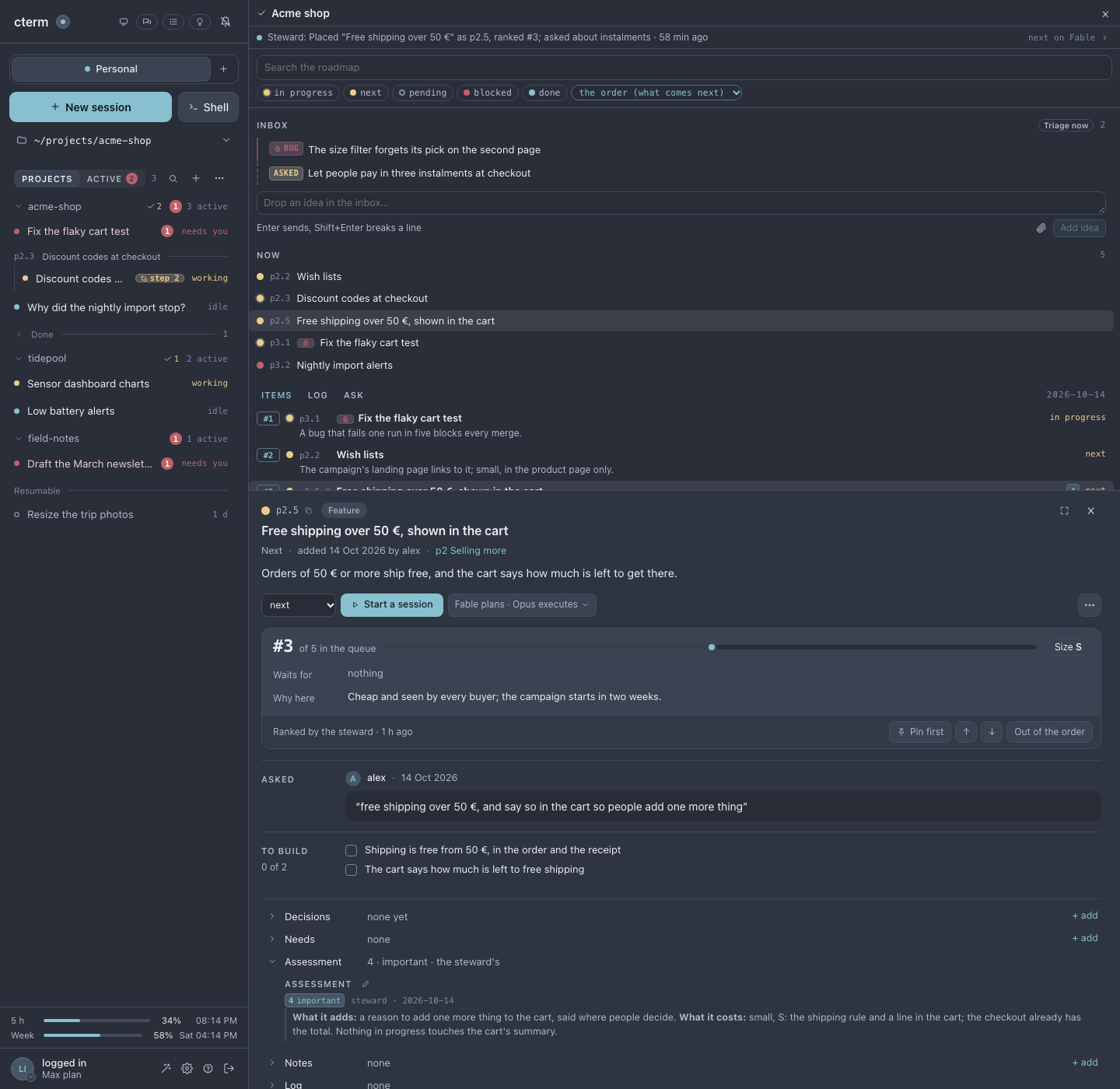
Task sessions
Sessions that build, merge and record themselves
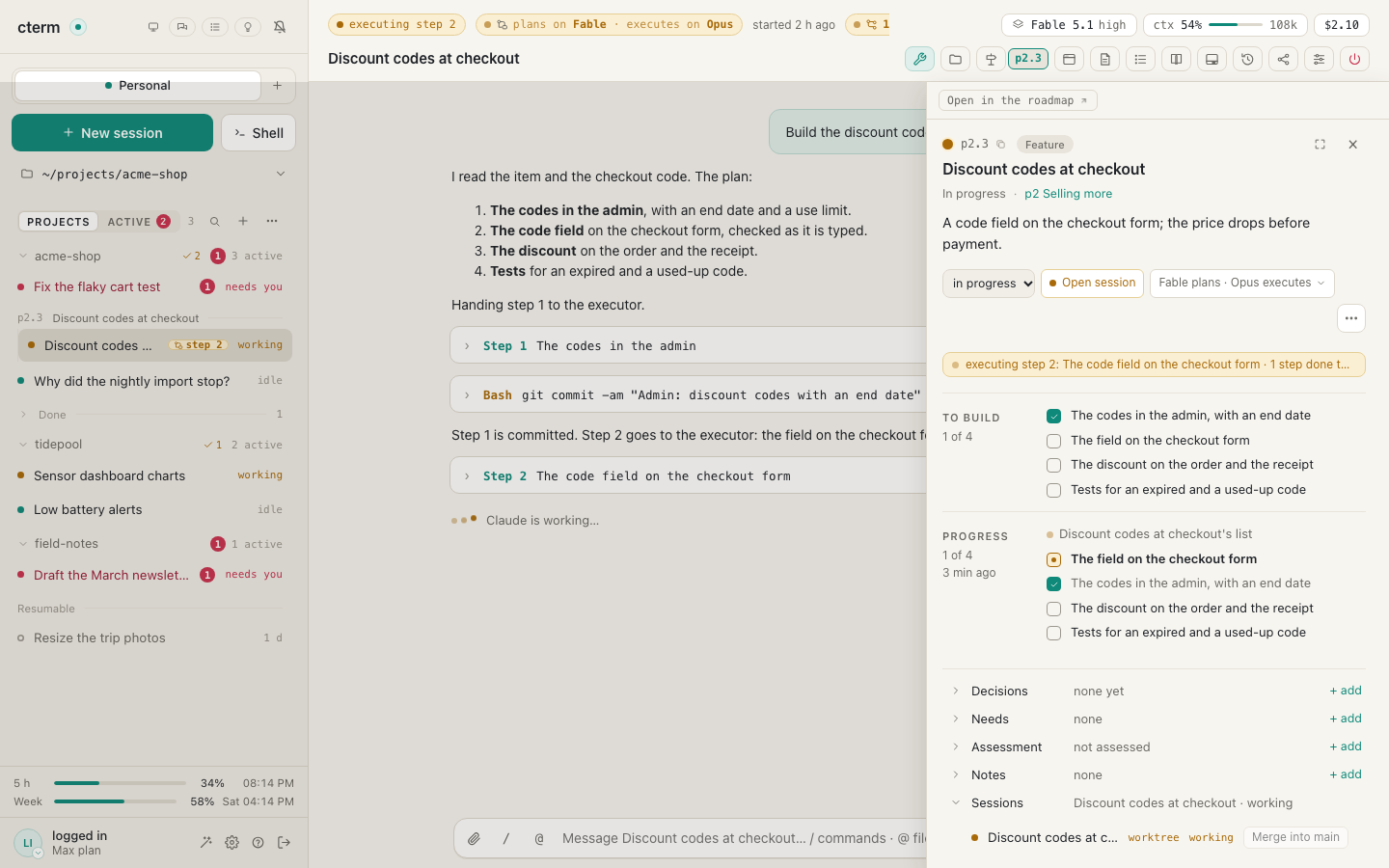
Start a session on an item with one click. It starts briefed, works in a git branch of its own beside the others, plans on one model and executes on another, and keeps its checklist on the item's card. When it is done its work is merged into main, and the steward writes down what it did.
From an item to main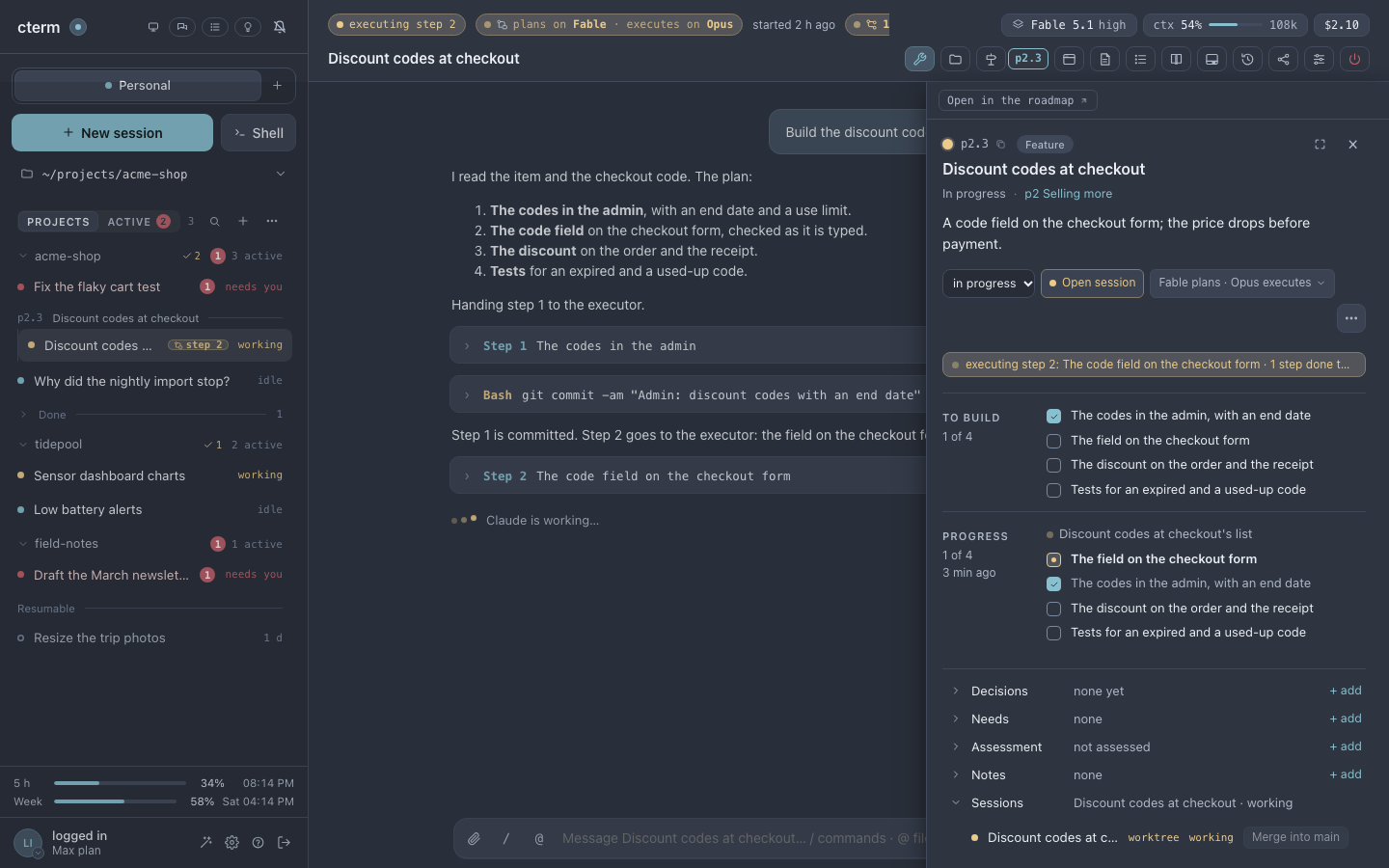
One chat
One chat for every project
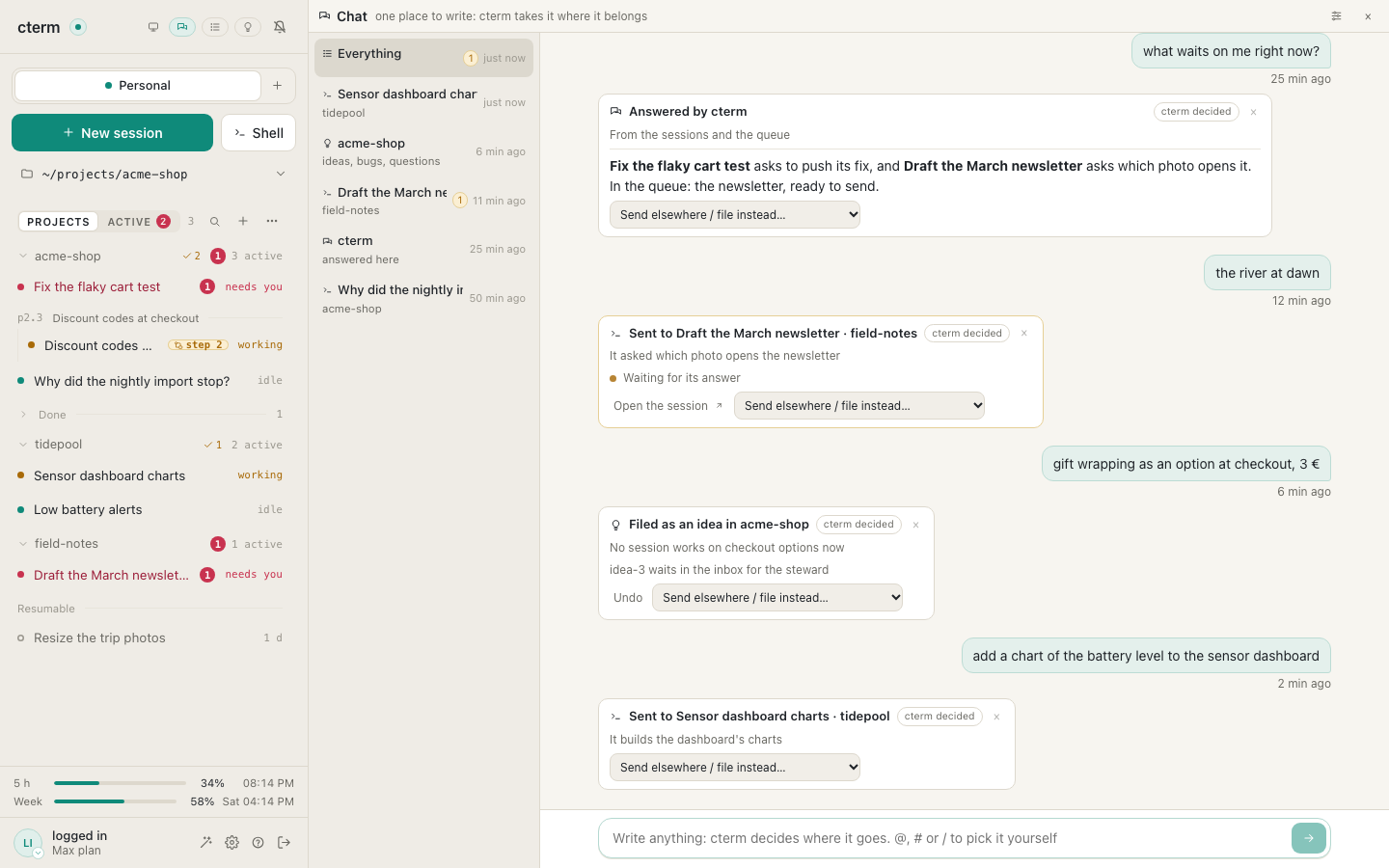
Write whatever comes to mind without choosing where it goes. The master chat sends it to the session already on that subject, starts a new one, files it as an idea or a bug, or answers itself. Whatever your sessions are waiting on you for comes back to the same chat as a card you answer in place.
The master chat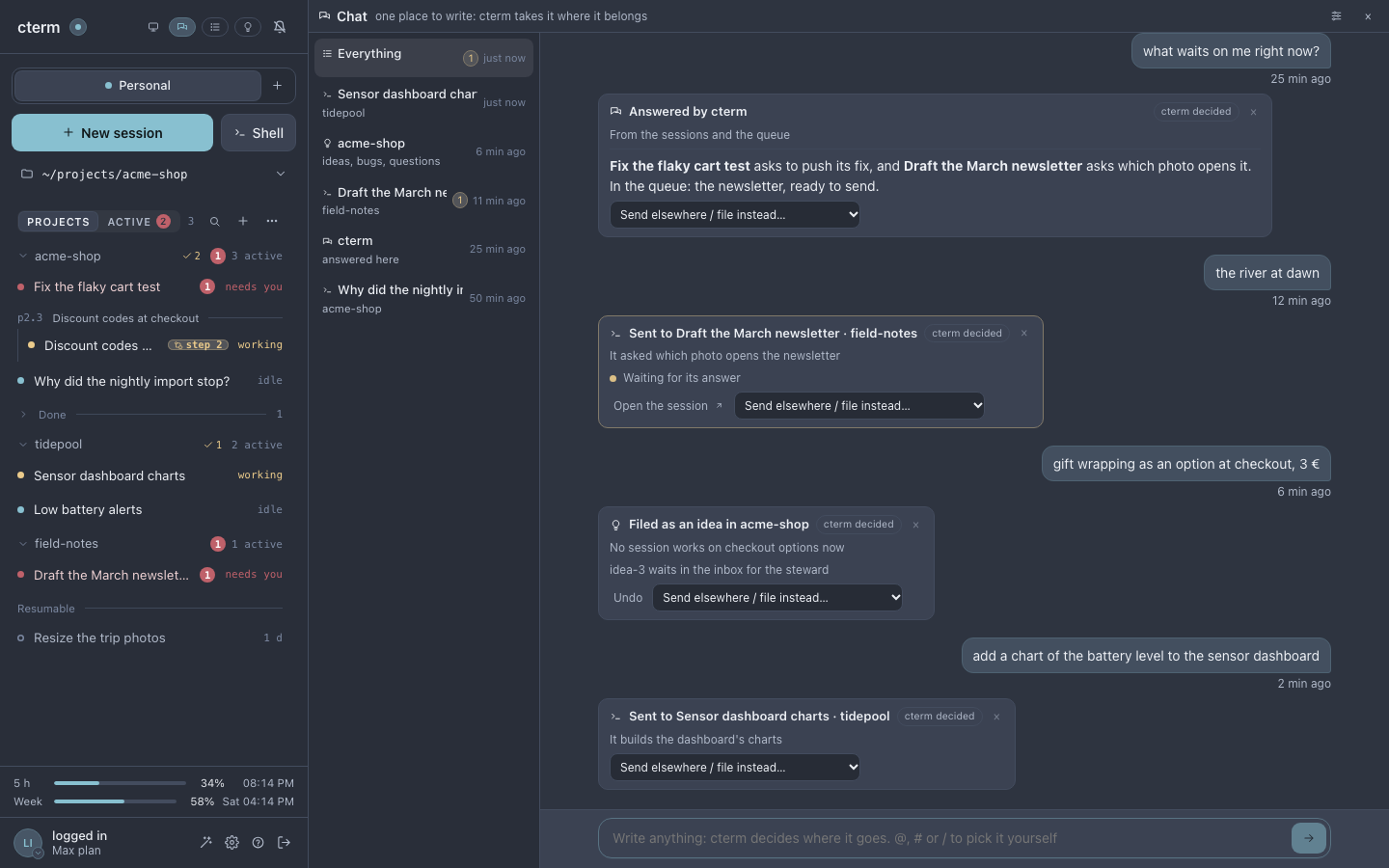
Overview
Everything at a glance, on your second screen
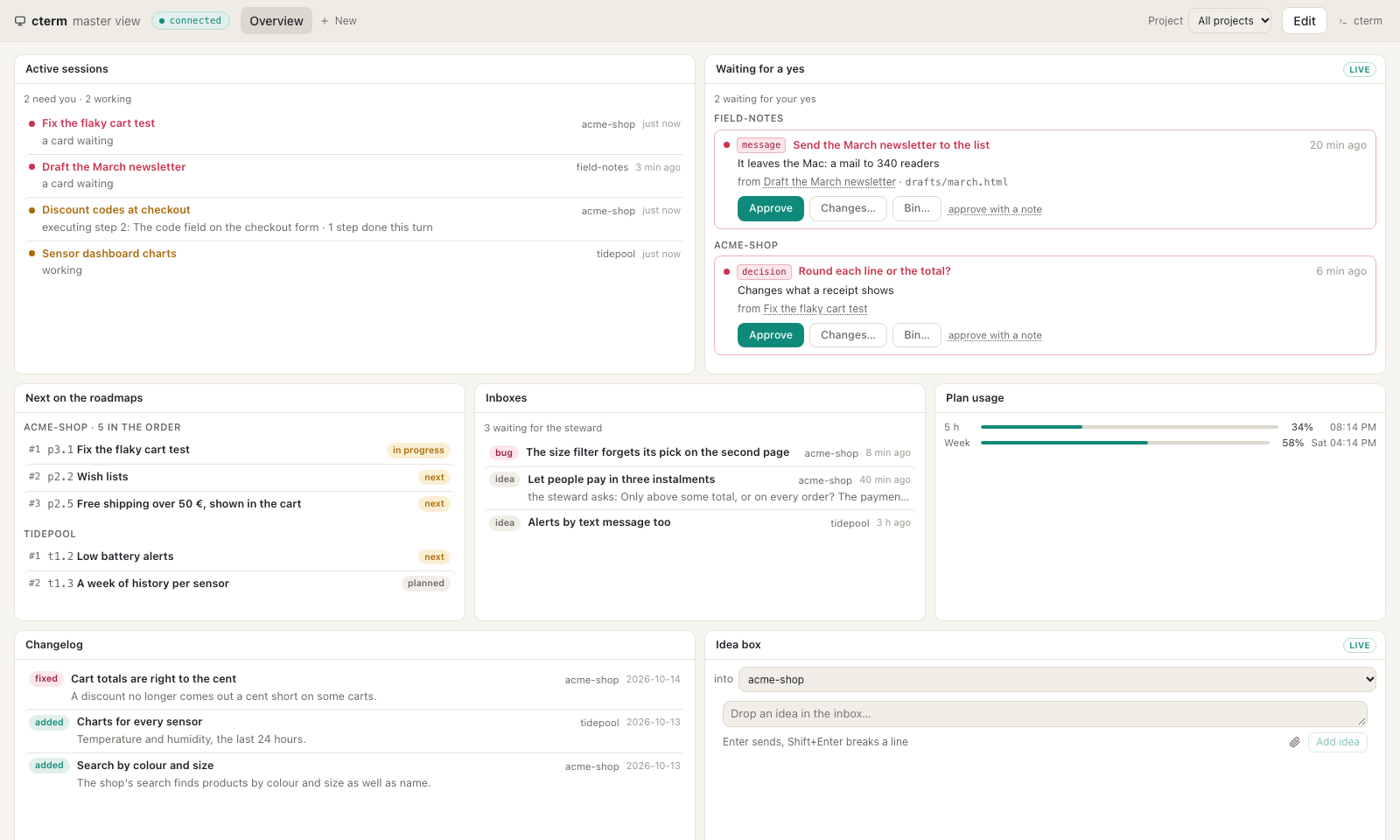
A window with every project in it: the sessions that need you, the work waiting for your yes, what comes next on each roadmap and your plan's usage. You decide; the rest runs.
The master view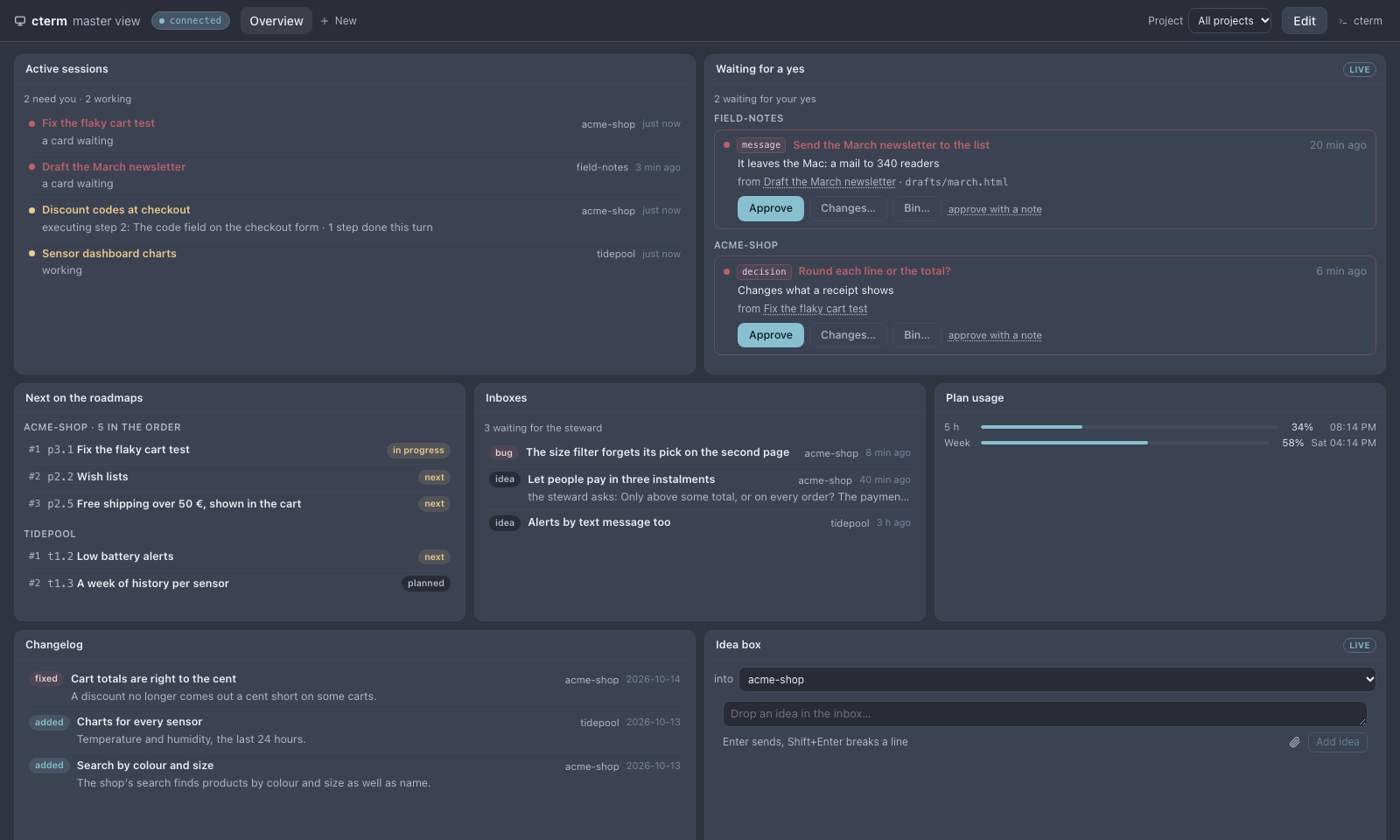
And more
The rest of what grows around your sessions
From the blog
All postsSee how it fits together
The documentation walks through every part, with screenshots, from the first session to the steward.